
Looking For A Free Bit Coin Wallet That Plays Nice With Hardware (Instead Of Fighting You)
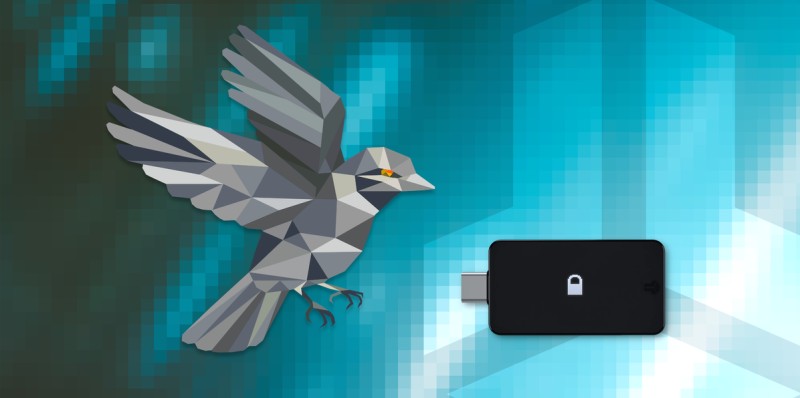
A Free Bit Coin Wallet That Doesn't Require An Engineering Degree
I've been poking around at bitcoin tools for a long time, and most of them make me feel dumb. But a free bit coin wallet doesn't have to be a brain torture test. The short version: you can run solid software without paying a dime, and you don't need to be a tech wizard to try it. In this post I look at Sparrow with your BitBox02, BTCPay's tricks, and how to claim your Bitcoin Cash without panicking.
When I say free bit coin wallet , I mean software you can grab and use that stays free and open for anyone. Sparrow is one of those. It works with hardware wallets and shows you what is going on under the hood. That matters because a lot of wallets hide stuff and you're just supposed to trust them.
Sparrow Wallet And The BitBox02
Sparrow Wallet is a free bitcoin wallet that shares a lot of design ideas with the BitBox02 hardware wallet. Craig Raw, the main dev, is a bitcoin OG who cares a lot about privacy. He started Sparrow because the old hardware wallet and multisig tools were a pain. Over time it became his full-time thing, but he plans to keep it free and open-source.
The cool part is how it plays nice with the BitBox02 instead of fighting you. You don't need to set up anything special on the device. You just need the BitBoxApp to make the wallet and turn on the encrypted USB link. After that, close the BitBoxApp because the device can only talk to one wallet at a time. Then Sparrow sees it.
Craig mentions the "cold-storage schwitz", the slight panic just before pressing send on a big bitcoin tx. He says full transparency helps.
Financial Self-Sovereignty Without The Headache
The big idea behind Sparrow is that you own your own money. That means security, privacy, and not needing to trust some company. The BitBox02 wants the same thing. Sparrow shows you tons of detail so you feel sure about what you're doing. And if you want to dig into how a bitcoin tx works, you can.
It might sound like a safest crypto wallet is only for nerds, but Sparrow is pretty straightforward. I like that it tells you what is happening instead of hiding it. You still need a hardware wallet for big amounts, but the software part is free.
Set Up Your Free Bit Coin Wallet With Sparrow
First, go to sparrowwallet.com and download the app. It runs on all big systems. For your BitBox02, you just need the BitBoxApp to create the wallet and start the encrypted USB chat. Then close the BitBoxApp and open Sparrow, and import your wallet.
Each wallet needs to talk to the bitcoin network. This usually goes through a backend server. Shift Crypto runs servers for the BitBoxApp, but they want users to run their own. Why? Because the server that links your wallet learns your total coins and past txs. Your own node keeps that private.
Choose Your Server For Privacy
Sparrow asks you what server to use before you even build the wallet. Craig says "privacy is a journey" and you can start easy and improve later. I think that's the right way to look at it. Don't freeze up because you don't have a node yet.
Server options in Sparrow
- Public server: easy start, use a public Electrum server with good privacy history
- Bitcoin Core: connect to your own instance, but it must stay synced
- Private Electrum: run a full node like RaspiBlitz or Umbrel and get a fast server
- Shift servers: use these if you already use them with the BitBoxApp
Create A New Wallet In Sparrow
Sparrow opens with a big empty window. To use your BitBox02, pick File / New wallet and give it a name. You then see config options. Pick single sig or multisig and script type. The Keystore part is highlighted because Sparrow doesn't know where keys live yet.
We set up a Native Segwit single sig wallet. All private keys are made on the BitBox02. Your keys never leave the device and Sparrow never learns them. Unlock the BitBox02, click Connected Hardware Wallet, hit Scan, and import the keystore. Then save the wallet file with a password.
Using Sparrow Day To Day
After setup, you see tabs: Transactions, Send, Receive, Addresses, UTXOs. Transactions shows your funds and past moves. Send lets you pay one or many people with fee control. Receive gives a fresh address. Addresses lists all your spots. UTXOs lists unspent outputs.
On the Send tab, you can type a recipient or scan a QR with your webcam. You can add more people with "+ Add". You label the payment and pick the amount in BTC or sats. Fees can be manual or a slider. The wallet shows the UTXO and change address used. Hover for info.
"Max (2 UTXO excluded)" button is coin selection in action. For many recipients, use "Send to many" in the Tools menu with a CSV file.
Receive And Verify On The Device
Receiving is simple. Sparrow gives a new unused address with copy or QR. It also shows the derivation path and script used. But here's the part you shouldn't skip: always check the receive address on the BitBox02 by clicking "Display Address". Only the hardware screen can tell you for sure it's yours.
I can't say this enough. A fake address on your computer screen can steal coins without you noticing. The little screen on the BitBox02 is the only truth. So verify every time. This is one of those things that feels fussy until it saves your ass.
Multisig And Why It Matters
A bitcoin wallet with multiple signing devices protects funds from physical threats and adds backup. Sparrow makes this easy with multiple BitBox02s. If you want to learn more, there's a follow-up on making a multisig wallet. For most people, one device is fine, but multisig is there when you're ready.
Sparrow is a good example of a project with its own look that still uses the proven security model of the BitBox02. One caveat: Sparrow does not yet support the unique BitBox02 checks like genuine device attestation or the anti-klepto protocol. Shift Crypto looks for support from wallets like Electrum, Specter, Nunchuk, and Wasabi.
Common Questions About Sparrow
Does Sparrow work with a hardware wallet? Yes, it's a great software wallet for hardware like BitBox02, Trezor, and Ledger. Why is it so good? It mixes a simple view with deep features and shows how bitcoin works inside. Is it secure? It's open-source and experts can check it, but only as safe as the computer it runs on.
Quick Sparrow facts
- Supports bitcoin multisig with many hardware wallets
- Open-source and minimal trust
- Latest versions have integrated coin-joins for privacy
- Use a hardware wallet for higher amounts
What Is A Hard Wallet For Crypto
If you're new, you might ask what is a hard wallet for crypto and why bother. A hard wallet is a device that keeps your private keys offline. The BitBox02 is one such device. Its bitcoin-only version has less code, which means less to attack. Your keys never touch the internet.
For a free bit coin wallet setup, the software is free but the hardware costs money. That's normal. You wouldn't call a safe free just because the key is free. But the wallet app itself? Free. And that's what we're talking about here.
BTCPay Server Wallet Features And Privacy Tools
BTCPay Server is a different beast. It's a free tool for merchants and users who want privacy. One big update added Payjoin support, which is a kind of coinjoin that mixes UTXOs during a payment. It looks like a normal tx, so it breaks some chain analysis. To use it as a merchant, you need a hot wallet, so don't store big amounts there.
The internal wallet is one of the more private options out there. It relies on a full node, has direct hardware wallet support, and can run over Tor. New features include coin selection, QR camera scan, and a fresh address on the receive page. If you run a node, this is a solid best wallet for mining payouts if you mine, since you can keep everything in-house.
BTCPay wallet additions
- Coin selection under Advanced Settings for privacy craft
- QR code camera scan to auto-fill invoice info
- New address generate on Wallet Receive page
- Payjoin support for sender and receiver privacy
Payjoin And Why It's Sneaky Good
Payjoin is sponsored by Blockstream. It lets two parties mix inputs while a payment happens. Unlike other coinjoins, it leaves no obvious mark. Wallets that support it detect a BIP21 with payjoin, make the tx, and work with the store to boost privacy. Both sides win: sender inputs aren't assumed same person, receiver doesn't grow their UTXO set in a clear way.
BTCPay added this on the invoice and wallet side. The internal wallet can pay payjoin invoices. It uses a modified BIP79. As a merchant, you need a hot wallet, so be careful. Don't keep large funds in it. Use it like a cash register, not a vault.
Coin Selection And Labels
Coin selection lives under Advanced Settings. It lets you pick exact coins for a tx, which helps privacy. It works with the wallet label feature. You label incoming funds to track UTXOs. Later, auto-labeling from invoices or payjoin may come. This is the kind of thing that sounds dull but keeps your stack clean.
The QR scan option uses your camera to read an invoice and fills the info. That opens use on a phone or tablet. Small thing, big ease. I hate typing long addresses by hand, so this is a win for any free bit coin wallet user.
Claiming And Selling Your Bitcoin Cash
Bitcoin Cash launched back in 2017. Anyone who held bitcoin at the split time got an equal amount of BCH tied to their private keys. Note: this is advice, not a sure thing, so be careful. BCH has strong replay protection, so you shouldn't spend BTC by mistake. If you don't care about BCH, do nothing and claim later.
If you want to sell BCH, and you already secured your keys, you hold both. Bad news: claiming early can expose keys and risk BTC theft. Take your time. Move your BTC to a new address before you touch BCH. This is the sane guide part. Don't rush. A how to get started with crypto currency person should learn this before playing with splits.
Access Your Coins From Different Wallets
For a full node wallet, use your Bitcoin Core backup and import to a BCH client on a different computer. Paper wallet? Use Electrum or Electron Cash on a separate machine. Hardware users can use Trezor or Ledger. Digital Bitbox recommends Electron Cash but calls it risky. KeepKey had no support at the time.
Ways to reach your BCH
- Full node: import backup to a BCH client on another PC
- Paper wallet: Electron Cash on a fresh machine, move BTC first
- Hardware: Trezor and Ledger give access
- Other seeds: enter into a BCH wallet, but none were recommended yet
Spend BCH The Safe Way
Once claimed, you can sell BCH for BTC or others. Heads up: BCH and BTC addresses match at split, so spending BCH shows your BTC addresses. Also, spending BCH shows your public key, which lowers one layer of BTC security. Best move: shift BTC to a new address before messing with BCH.
Recap that I keep in my head: no rush if keys are safe, move BTC first, then move BCH to your own spot or an exchange. That's it. Simple and it keeps your main coins safe. A safest way to store cryptocurrency is to never let a split tool see your live BTC keys.
Paper Wallets And Cold Storage For Gifts
Crypto means no bank, and if a key is lost or stolen, it's gone. The safe play is cold storage, offline. A paper wallet prints a key and QR. Keep two copies: one to gift, one in a safe. Skip the USB stick. Treat the key like a password and never show it. One TV host showed a key on air and it got stolen. True story.
You can buy coins from an exchange, move from bank to Bitcoin, Bitcoin Cash, Ethereum, Litecoin, or Cardano. Then make a paper wallet and send funds. Sites like bitcoinpaperwallet.com or liteaddress.org do this and can run local. You must trust the tool if you use a printed service. For how to safely store crypto , paper is old school but it works if done right.
Hardware Wallet Choices For BCH And More
When people ask about devices, they bring up best trezor cold wallet and trezor vs ledger wallet . Both gave BCH access. Ledger posted a blog, Trezor did too but pulled it for a bug then fixed it. For a free bit coin wallet on the software side, Sparrow works with both. Pick hardware by your comfort, not hype.
The cheapest cold wallet isn't always the best. A device with good code and clear screen beats a cheap one with no verify step. The BitBox02 shows addresses on its screen so you can check. That's the feature I care about most. Price is second.
Cryptocurrency Wallet Reviews In Plain Words
I read a lot of cryptocurrency wallet reviews and most are要么 too techy or too salesy. Sparrow gets love for clear view plus deep features. BTCPay gets love for privacy and node use. BitBox02 gets love for offline keys and simple screen check. None are perfect, but together they make a calm setup.
If you want a free bit coin wallet that doesn't fight you, start with Sparrow plus a BitBox02. Add BTCPay if you run a shop or want payjoin. Claim BCH slow and safe. That's the whole tour from a regular person who just wants his coins in his control.
Permissionless interoperability gives flexibility. One caveat: Sparrow currently does not support unique BitBox02 security features like secure device attestation.
Why I Like The Open-Source Path
Open-source means anyone can read the code. That doesn't make it magic, but it means no hidden back door can hide for long. Sparrow is free and open, BTCPay is free and open. Your BitBox02 firmware for bitcoin-only is small on purpose. Less code, less to break.
A free bit coin wallet only stays free if people care. Craig plans to keep Sparrow free. Shift Crypto pushes nodes for privacy. BTCPay builds tools for merchants. As a user, you just benefit. I sleep better knowing the build is public.
Small Warnings Before You Send
Hey, don't skip this part. Always verify receive addresses on the hardware screen. Always move BTC to a new address before claiming BCH. Don't keep large funds in a hot wallet with payjoin. These aren't scary rules, just habits that keep coins yours.
And one more: your computer is the weak link. A free wallet on a infected PC is not safe. Use a clean machine for setup. You don't need a rocket, just not a malware pit. That's the real safest crypto wallet mindset more than any brand.
Comments on “Looking For A Free Bit Coin Wallet That Plays Nice With Hardware (Instead Of Fighting You)”
No comments yet. Be the first to share your thoughts.