
How to Choose a Crypto Cold Wallet Without the Confusion
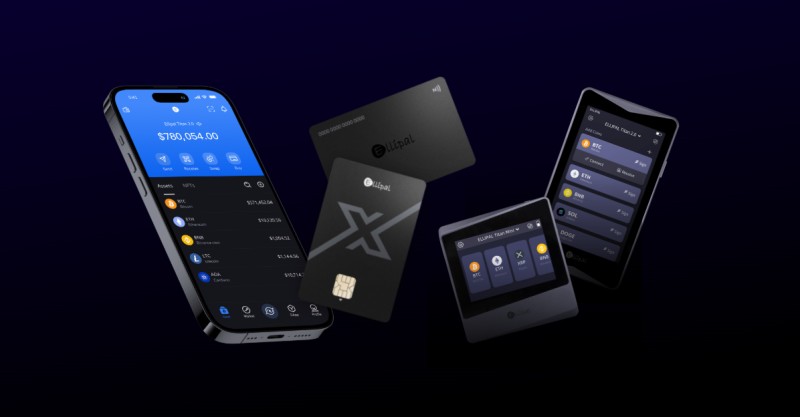
Crypto Cold Wallet Basics
I've spent a fair bit of time thinking about this, and here's what I keep coming back to: your crypto isn't actually sitting anywhere. It lives as entries on a blockchain. What you actually own-and what a cold wallet protects-is the private key that lets you move those entries around. Think of it like a safety deposit box. The bank (blockchain) holds your stuff, but the key (private key) is what matters. A cold wallet just keeps that key offline, away from hackers, malware, and every sketchy website you've ever clicked around. It's the difference between keeping your spare house key under a rock on your porch versus stashing it in a bank vault. One's way easier to grab, the other is way harder to steal.
This matters more than people think. Way more. I read a stat once that over a billion dollars got stolen from crypto wallets in a single year through hacks and phishing. A hard wallet , which is just another name for a hardware-based hard wallet for cryptocurrency , keeps your signing power offline. You prepare a transaction online, then sign it on the device itself. The key never touches the internet. That's the whole trick.
Hot, Cold, and Warm Wallets
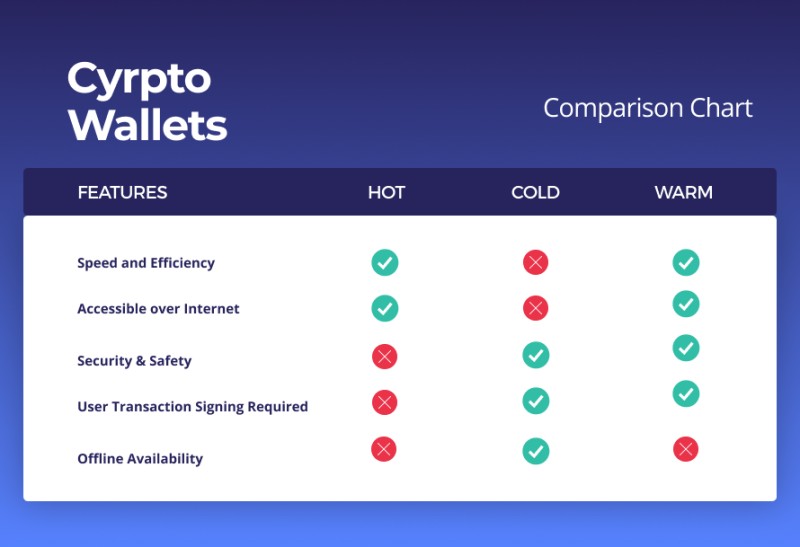
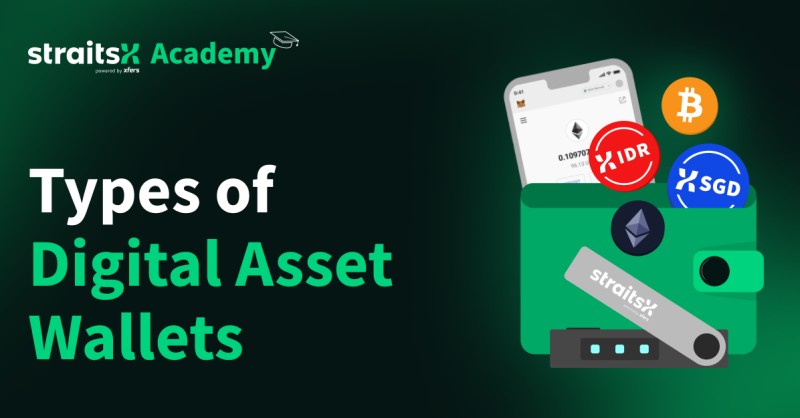
There are three main flavors, and they're basically about how connected your keys are to the internet. A hot wallet is connected. Think mobile apps, browser extensions, exchange accounts. Easy to use, easy to get to. But also easy for bad actors to get to. A cold wallet is the opposite-completely offline. A hard wallet , paper, or even just a memorized phrase. Slow to use, but way safer for holding. Warm wallets split the difference. Keys stay online, but you need a second approval-maybe a code from your phone, or a hardware button press-before anything moves.
Wallet types at a glance
- Hot wallets are always connected to the internet-convenient but exposed
- Cold wallets keep keys fully offline-safer for holding, slower to use
- Warm wallets add a second approval step before transactions go through
- Self-custody means you control the keys; custodial means a service does
I think the hot/cold/warm distinction is useful, but what really matters is who holds the key. That's the custody question, and it changes everything.
Custody Changes Everything
There's this phrase in the crypto world: "not your keys, not your coins." It sounds like a slogan, but it's actually a pretty good rule of thumb. If a service holds your private key, you're trusting them. Not just with security-they could freeze your account, change their rules, or just disappear one day. That's a custodial wallet. Exchanges like Binance, Coinbase, and Gemini are custodial. Your recovery depends on their systems, their uptime, their goodwill.
A self-custodial wallet puts the keys-and the responsibility-squarely in your lap. No middleman. No account recovery if you mess up. No one to call when things go sideways. But you also can't get frozen out, and no one can take your stuff without your key. Most crypto hardware wallets are self-custodial by nature, because the whole point is keeping keys under your control.
Paper, Metal, and Brain wallets
Before hardware wallets got good, people used paper. You print your private key or seed phrase, maybe stick it in an envelope. It's offline, which is the goal. But paper has problems. Fire, water, fading, tearing. Lose it and your crypto's gone. Same if someone finds it. There's no reset button, no customer service number to call. You'd have to "sweep" the funds into a new wallet, and if you mess that up, well, good luck.
Metal storage fixes some of that. Steel, titanium, whatever-engrave your phrase on it and it survives way more than paper. Still lose it, still someone who finds it gets everything. But at least it won't dissolve in a flood. Brain wallets-memorizing your phrase-are elegant in theory. In practice, people forget, and when they do, those coins usually stay forgotten forever.
Offline storage tradeoffs
- Paper wallets are cheap but fragile-fire, water, and wear kill them fast
- Metal or steel storage survives disasters better but is still easy to lose
- Brain wallets need no physical backup but rely on your memory holding
- All offline methods require careful backup and secure storage habits
The common thread here is responsibility. The more offline you go, the more you're on your own. Which is fine-until it isn't.
Hardware wallets: the practical middle ground
This is where most people who actually care about security end up. A hard wallet is a physical device-usually looks like a USB stick-that generates and stores your keys offline. You connect it to your computer or phone to prepare transactions, but the signing happens inside the device itself. Your key never leaves it. It's like having a tiny, secure computer that only does one job: sign stuff.
They're not magic, though. They cost money. They're a pain for frequent trading. And if you lose the device and your seed phrase backup, you're locked out. Permanently. But for holding real value long-term, they're hard to beat. I've read about this case where a guy lost access to thousands of Bitcoin because he lost his recovery phrases. Assets stayed on the blockchain, but he couldn't touch them. No key, no access. That's the reality.
Choosing between D'CENT, Ledger, and Trezor
Okay, let's talk about the actual products. Because at some point you have to pick something. I looked at a comparison that pitted three main players against each other: D'CENT , Ledger, and Trezor. Each has its fans, and each makes different tradeoffs.
Key differences between major hardware wallets
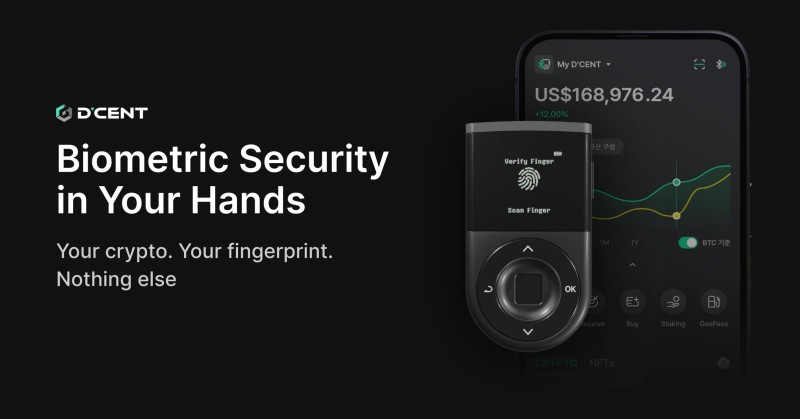
- D'CENT Biometric Wallet adds fingerprint authentication and a full mobile app
- Ledger Nano X supports the widest range of assets with a strong ecosystem
- Trezor Safe 5 emphasizes open-source firmware and desktop-focused features
- All three use secure-element chips rated EAL5+ or higher for hardware protection
D'CENT's angle is convenience-fingerprint login, mobile-first design, and it's the cheapest of the three. Ledger's selling point is breadth-they support way more coins and tokens, and they're the biggest name in the game. Trezor appeals to people who want open-source firmware they can actually read, plus haptic feedback and a color screen. Honestly, for a lot of users, the differences matter less than just picking one and learning how to use it.
The best trezor cold wallet
If you're wondering whether Trezor's the right call for you, here's how I think about it. Trezor's strongest suit is transparency. Their firmware is open source, which means security researchers can poke at it. That matters to people who want to verify, not just trust. The Safe 5 model has a color touchscreen and haptic feedback-nicer than older Trezor models. It's also cheaper than the Ledger Nano X.
But there are real downsides. The mobile app situation is weaker than Ledger's or D'CENT's. Some users have reported connection issues. And while they support plenty of assets, it's not quite as comprehensive as Ledger's lineup. For best trezor cold wallet buyers, this is usually the tradeoff: openness and price versus convenience and asset support.
A trezor vs ledger wallet comparison often comes down to philosophy. Trezor leans open and transparent. Ledger leans polished and compatible.
Ledger Nano X: the popular choice
Ledger's probably the most recognized name in hardware wallets. They support over 15,000 assets, which is nuts. Their ecosystem is huge-you can connect to exchanges, DeFi apps, and all sorts of services. For a lot of people, that compatibility is worth the premium. The Nano X connects via Bluetooth, so you can manage stuff from your phone.
The downside? They've had some security scares over the years. Not with the devices themselves-those have held up-but with their internal systems getting breached. And their Stax model, which adds biometrics, costs nearly four times what D'CENT charges. For users who want the widest compatibility and don't mind paying for it, Ledger's still the go-to.
Ledger Nano X strengths and tradeoffs
- Supports more than 15,000 cryptocurrencies and tokens
- Bluetooth connectivity works with iOS and Android mobile apps
- Large ecosystem of exchange and DeFi integrations
- Higher price point than Trezor and D'CENT options
Warm wallets for businesses
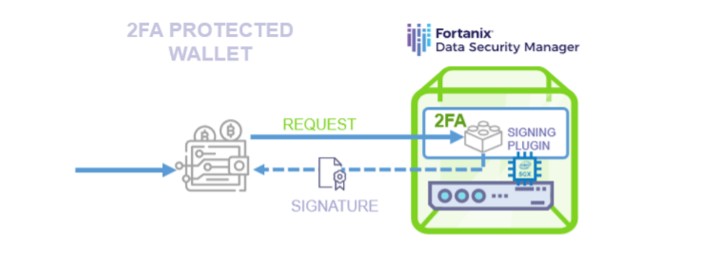
Not everything is hot or cold. Warm wallets add a middle layer of security. Instead of keeping keys fully offline, they keep them online but behind an extra approval step. One approach I saw uses time-based one-time passwords (TOTP) inside a protected computing environment. The idea is that even if the backend gets compromised, the keys can't move without that extra confirmation.
This isn't really for individual users-more for businesses that need online access but want better security than a simple hot wallet. It's a different tool for a different job. Most regular people don't need this level of complexity.
A warm wallet can retain online access while requiring human verification for transactions. It's the middle path between convenience and security.
Security benefits and real risks
Let's be honest about what cold storage actually does. It takes your keys offline. That's the big win-it means malware on your computer can't grab them. Phishing sites can't trick you into signing bogus transactions while the key's connected. For long-term holding, this is huge. I like the idea of keeping a small amount in a hot wallet for daily use, and the bulk in cold storage. If one gets compromised, the other's untouched.
But cold storage isn't a force field. It doesn't protect you from your own mistakes. Send crypto to the wrong address? Gone. Sign a malicious transaction you didn't read carefully? Gone. Lose your device and your backup? Double gone. The hardware is only as smart as the person using it.
What cold storage can't save you from
Threats that still apply even with cold storage
- Malware can still compromise the computer used to prepare transactions
- Malicious apps can trick you into approving bad transactions
- Screen manipulation can falsify what you see before signing
- Physical devices can be lost, stolen, or damaged
- A compromised supply chain can affect devices before you receive them
- Losing both the device and backup means permanent loss
This is the part people skip when they read about cold storage. Yes, keeping keys offline helps. But you're still in charge of backups, transaction signing, and not getting scammed. The device makes one part safer, not the whole situation.
Multisig and HD wallets
For people who want extra layers, there are crypto hardware wallets that play nice with multisignature setups. Multisig requires multiple approvals before anything moves. Instead of one key, you need two or three. This kills the single-point-of-failure problem-if one device gets stolen, the thief still can't do anything without the other signatures.
Hierarchical deterministic (HD) wallets are a different beast. They generate lots of addresses from one master seed phrase. More privacy, less address reuse. Most modern wallets-including the big crypto hardware wallets -are HD by default. You get better privacy without doing anything special.
A hardware wallet can be combined with multisig arrangements to reduce the impact of a single lost key or compromised device.
Backup and recovery basics
Here's where a lot of people get nervous, and that's totally normal. Your seed phrase-the 12 to 24 words you write down-is literally the keys to everything. Lose it, and your crypto's gone forever. Share it, and someone else owns your stuff. This isn't bank-level security where you can call and reset. This is "you messed up, try again in the next lifetime."
Best practice? Write it down twice. Store copies in different physical locations. Maybe one on paper, one on steel. Keep them dry, safe, and away from photos or digital records. Some folks split phrases across multiple trusted people. Others use social recovery setups built into certain wallets. The goal: make it so losing one backup doesn't mean losing everything.
Recovery best practices
- Write your seed phrase on durable material-not just paper
- Store multiple backups in secure, separate locations
- Never photograph, email, or cloud-store your recovery phrase
- Test your recovery process before you need it for real
Practical tradeoffs to weigh
No wallet is perfect. That's the honest truth. Hot wallets are convenient but exposed. Cold wallets are safer but clunky. Each form of storage has failure modes that don't show up in marketing copy. The question isn't "which wallet is best?"-it's "which wallet fits your habits and risk tolerance?"
If you check your phone fifteen times a day and trade constantly, a hardware wallet is going to feel like wearing boots to run a marathon. But if you're buying and holding stuff for months or years, that friction is actually the point. It keeps you from making impulsive moves.
How to actually pick one
Let's cut through the noise. Here's what I'd focus on if I were starting fresh. First, figure out your use case. Are you actively trading, or just holding? Active traders probably want something like MetaMask or a mobile app-fast, easy, accessible. Long-term holders want offline storage, preferably a hard wallet for cryptocurrency . Then think about custody. Want full control? Go self-custodial. Prefer the convenience of a service that can reset your password? Custodial might fit better.
Next, security architecture. Does the device use a secure element? Is the firmware open source? How does it handle PINs and authentication? These matter, but not like people pretend. Most attacks happen because someone clicks a bad link or reuses passwords, not because of fancy side-channel exploits. Good habits beat perfect hardware.
Decision factors when choosing a wallet
- Match the wallet type to how often you trade or transact
- Decide whether you want self-custody or a managed service
- Check supported assets, blockchains, and token standards
- Consider price, mobile/desktop support, and authentication options
And here's something the comparison guides rarely mention: none of this matters if you don't back up properly. I've seen people spend hundreds on a fancy hard wallet and then save their seed phrase in a Notes app on their phone. The wallet was secure. The backup wasn't. Pick something that fits your comfort zone, then learn to use it right. That's the safest way to store cryptocurrency .
Supply chain risks
There's a threat most guides don't cover upfront: your brand-new hard wallet could be compromised before you even open the box. Supply chain attacks-where someone tampers with devices during manufacturing or shipping-are real. You buy what you think is a secure device, but it's been altered before it reaches you.
How to protect yourself? Buy direct from the manufacturer. Check packaging for signs of tampering. Initialize the device yourself-don't use a pre-generated seed phrase. Verify the device's authenticity through official channels. These aren't paranoid steps; they're just basic hygiene now. The threat landscape has evolved, and a lot of people are catching up.
A hardware wallet can be compromised before delivery, even when its keys are designed to remain offline. Check for tampering.
Moving between wallets
At some point, you'll probably move funds between wallets. Maybe you're upgrading to a newer model. Maybe switching wallet types entirely. Maybe just consolidating backups. It happens. The process is straightforward but nerve-wracking: generate a fresh address on the destination, send a small test amount, verify it arrived, then move the rest.
One thing I'd stress: never send everything in one transaction until you've tested the path. I've seen people lose sleep over sending $50 as a test when they were moving thousands. That's fine. Better to take an extra step than make a $10,000 mistake. Also, double-check addresses character by character. Blockchains don't have an undo button.
trezor vs ledger for everyday users
People keep asking me about this trezor vs ledger wallet debate, so here's my take. If you're choosing between the two, it often comes down to what you value. Ledger supports more coins and connects more easily to exchanges and DeFi apps. Their ecosystem is just bigger. Trezor is more transparent-open source firmware, community-reviewed. For best trezor cold wallet users who actually read the code, that matters.
But here's the thing: for most people, the differences are marginal. Both are solid. Both have active development. Both have communities that'll answer your questions. The "best" wallet is usually the one you actually set up and use correctly. I'd rather see someone pick any halfway-decent hardware wallet, write down their recovery phrase properly, and stick with it than spend weeks researching the perfect option and never pulling the trigger.
When to choose Ledger vs Trezor
- Ledger for broader token support and exchange integrations
- Trezor for open-source transparency and lower entry cost
- D'CENT for fingerprint convenience and mobile-first design
- All three handle core cold storage functions reliably
The market has enough good options now that there's rarely a "wrong" choice-just one that fits your habits better than another. Pick one, learn it, secure your backup, and move on with your life. The rest is mostly noise.
Final thoughts on cold storage
Crypto moves fast, and wallet tech keeps evolving. But the core idea hasn't changed: keep your keys offline for long-term storage. Whether that's a hard wallet , paper, or metal doesn't matter nearly as much as actually doing it. The safest crypto hardware wallets are the ones you've set up, tested, and backed up. Not the shiniest new model gathering dust on a shelf.
For beginners, I usually suggest starting with the basics. Set up any mainstream hardware wallet. Write down that seed phrase. Verify it. Store it safely. Send a small amount first. Once you're comfortable, move more. The safest way to store cryptocurrency isn't about finding the theoretically perfect device-it's about establishing good habits and sticking with them.
Cold wallets keep private keys outside the internet-connected environment. That separation is the real protection.
Comments on “How to Choose a Crypto Cold Wallet Without the Confusion”
No comments yet. Be the first to share your thoughts.